Dealer Verify
Creating Dealer Verify Links
Accessing Dealer Verify Link via API
Lenders integrated with Informed via API and using Dealer Verify will receive a unique, application-specific link in the synchronous response to the application registration call.
  {
    "application_id": "unique-Informed-app-id",
    "status": "Ready",
    "dealer_url": "https://infrmd.com/XYZab12"
  }
This link can be shared programmatically with dealers through existing communication channels, including RouteOne and Dealertrack portal messages, email, etc.
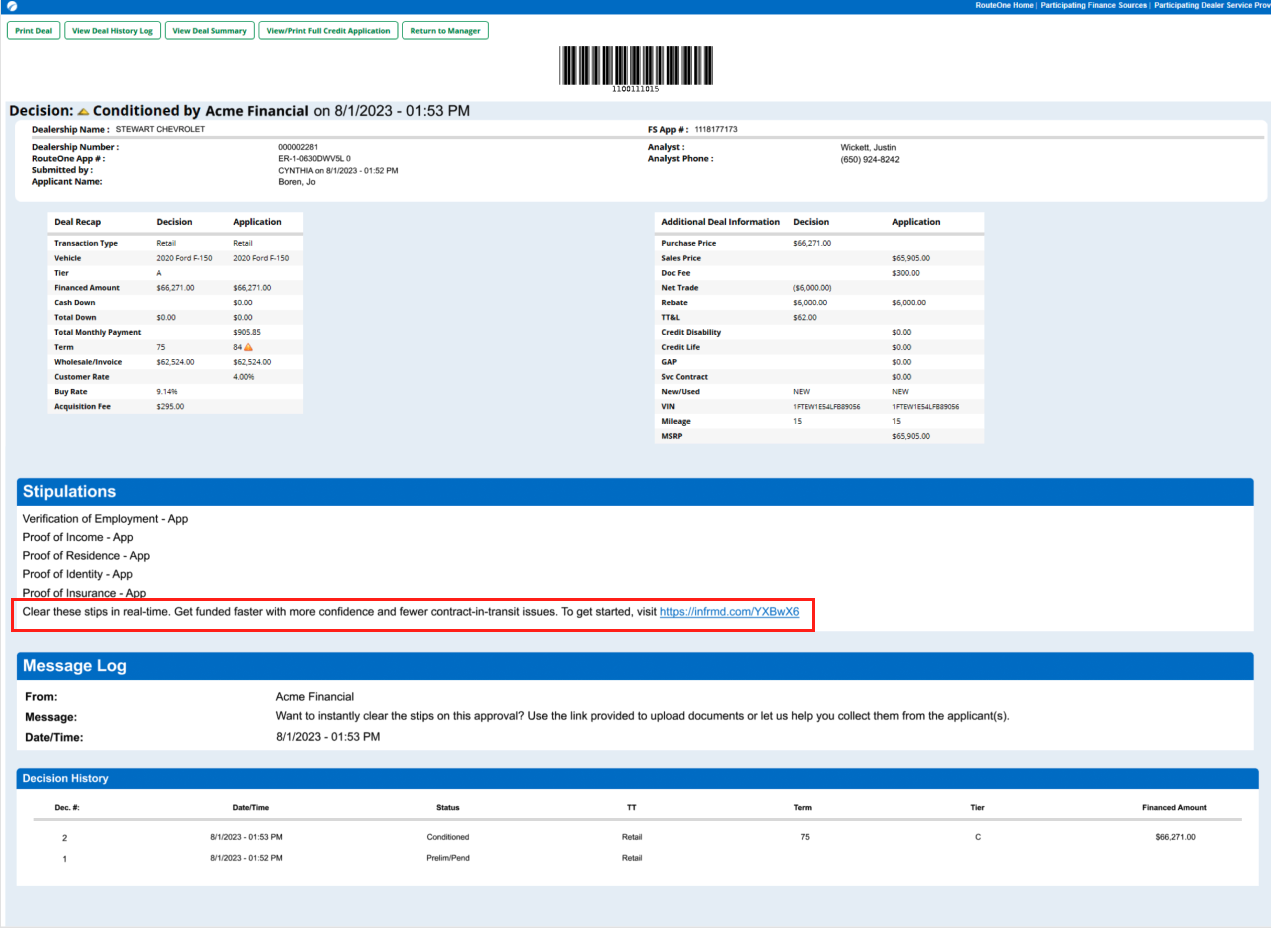
Links can also be copied out of VerifyIQ and manually sent to dealers (look for the "Access Dealer Verify Link" menu item in the 3-dot menu in the upper left corner of an application in VerifyIQ).
Dealers Creating Apps via Portal
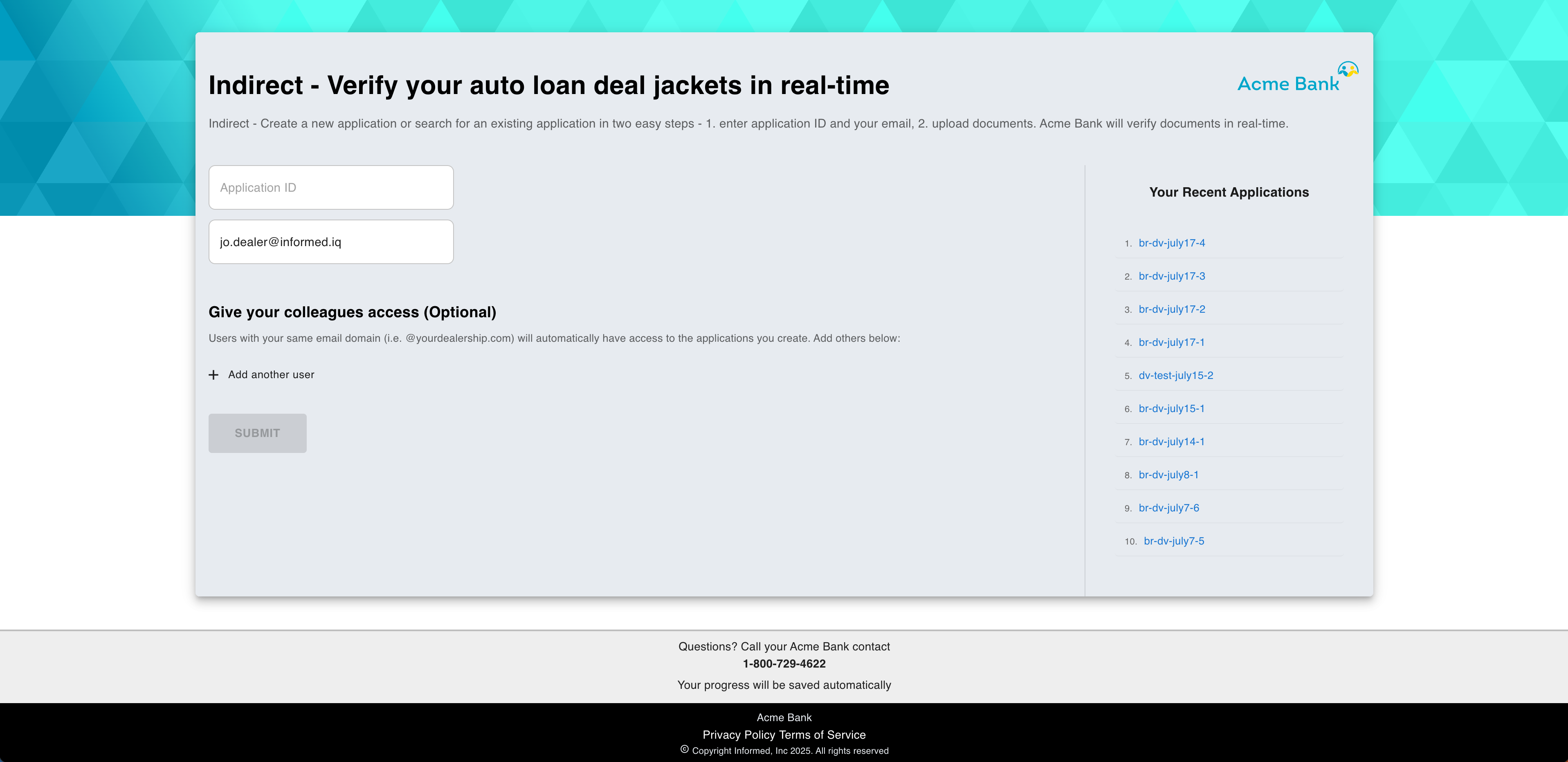
Lenders not programmatically integrated with Informed for application creation can use the Standalone Dealer Verify portal that enables dealers to create (and search for) applications in the Informed system and upload documents. The static link can be shared with dealers to bookmark or can be configured in dealer portals (like RouteOne and Dealertrack) to automatically be shared with dealers upon issuing a credit approval. Different links can be provided, as needed, to support different use cases, like Indirect versus Direct lending channels. Your account management representative will supply you with the static links as appropriate to your situation.
When dealers land on the link, they have the option to:
- Enter an application ID to search for/create the application in the Informed system
- Click on a recently viewed application from the available list
Dealers will enter their email address to allow them to re-access the created application later. Any other users from the dealership with the same email domain will also be able to access the created application, otherwise additional emails can be added if applicable.
If a dealer (or co-worker with an approved email address) needs to reassess the application, they will be sent an email through which they can access the application.
Dealer Verify User Guide
Dealers who are viewing the application specific link are able to:
- View all configured stipulations that the dealer must clear: lenders can choose to show consumer stips only, or every stipulation required to pass funding
- Upload documents to clear required stipulations
- (If enabled) Request documents to be uploaded by the applicant by sending them a CollectIQ text message
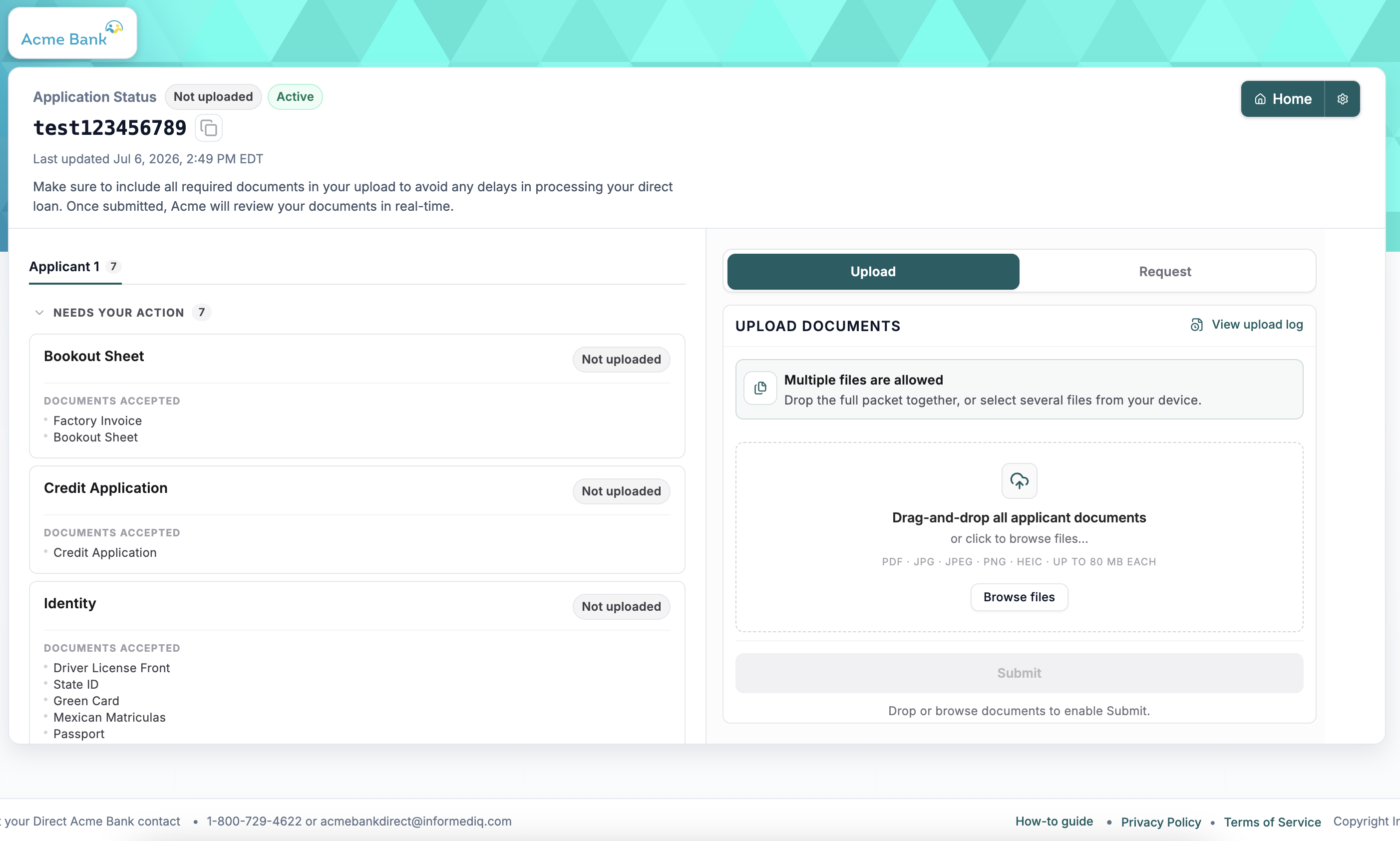
When documents are uploaded, Dealer Verify will update in real time as the documents are verified. Dealers will be able to see a status for each stipulation, e.g., pass, review, fail and missing.
If a stipulation is in review/fail status, lenders can configure dealer-facing messaging to give actionable feedback as to why the stipulation is not passing to give dealers the opportunity to self-remediate the issues without direct lender involvement. This dealer facing copy can be configured uniquely per verification with different copy when a question is in a fail status (i.e., a verified policy execption has been noted) versus review status (i.e., the field was not on the document or we were unable to extract the expected data due to poor image quality, new document format, etc).
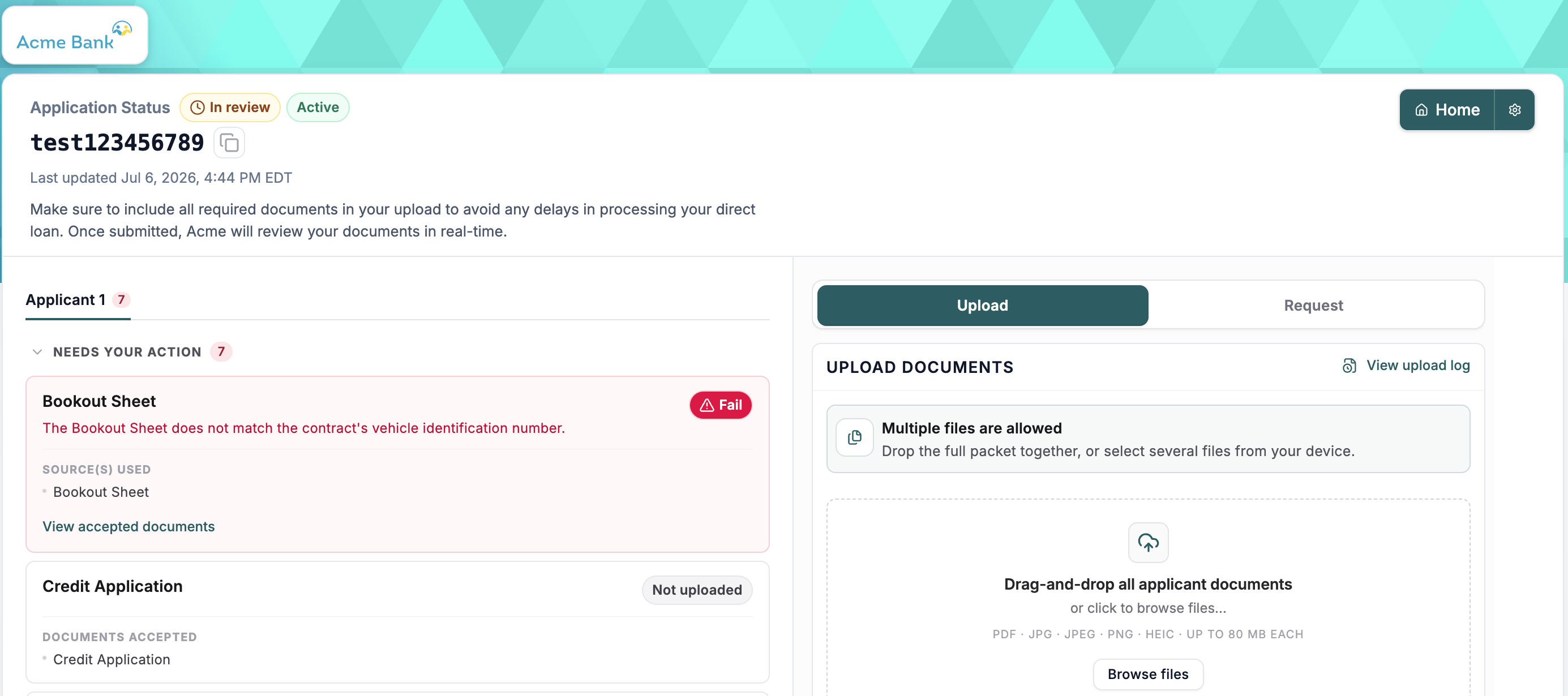
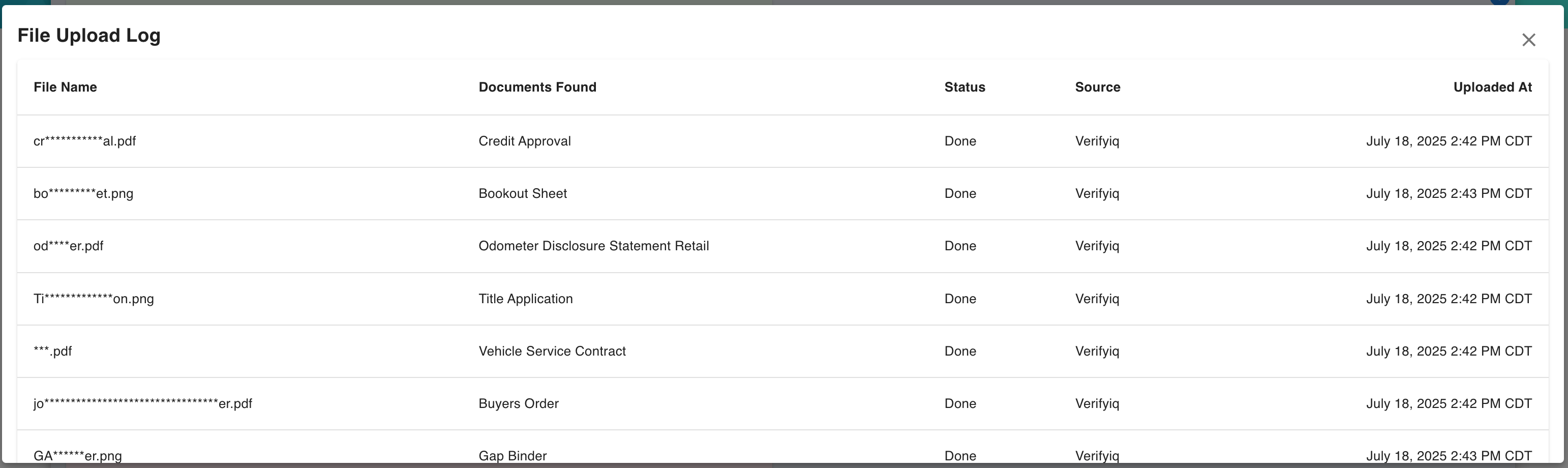
Dealers can view a record of all files uploaded and the document types that Informed has detected in those files.